Concepts
The words Stedia uses, each explained in a few sentences with a link to its page.
Your workspace
Workspace
Your company's space in Stedia. Chats, connected tools, members, schedules and settings all belong to a workspace. Working alone still means working in one. If you belong to more than one, switch in the menu under your name.
Owner, Admin, Member
Owners do everything, including billing and sign-on. Admins manage members, tools, AI models and assistants. Members use what the admins set up. See Members and teams.
Team
An optional group of members inside one workspace, on Business and Enterprise. Admins can switch tools and knowledge bases on or off per team. A team here is not Microsoft Teams. See Members and teams.
Tools and actions
Connected tool
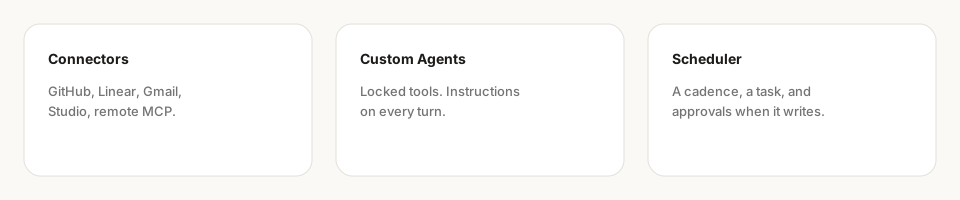
An app Stedia can work in for you, like Gmail, Linear or Shopify. Most ship with Stedia. Admins can add your own through Tool studio or an MCP server. See Connected tools.
Personal and Workspace connection
When you connect a tool, you choose who uses that sign-in. Personal stays yours. Workspace shares it with everyone in the workspace, so everyone acts through that one account.
Action
One thing a tool can do: read an email, send an email, create an issue. Each tool's page lists its actions.
Asks first and Allowed without asking
An action marked Asks first waits on a card in the chat until you approve it. Allowed without asking means it runs without that pause, because you allowed it for a chat, for 7 days, or on a schedule. See Chat.
Action preset
Saved field values and writing instructions for one action, for example the project and labels every new issue should get. See Action presets.
Tool studio
Where admins turn their own API into a tool, from an OpenAPI document. Business and Enterprise only. See Tool studio.
MCP server
A standard way for AI apps to share tools. Admins can add another company's MCP server to Stedia as a tool. The other way round, Stedia is an MCP server too, so Claude or Cursor can work with your workspace. See MCP servers and Stedia in Claude & Cursor.
Getting work done
Assistant
A saved helper for a recurring job, with its own name, instructions, tools and knowledge. Admins build it, and everyone in the workspace can start a chat with it. If a tool it needs is not connected for you, it shows Setup required. See Assistants.
Schedule
A task in plain language that runs on its own: daily, on weekdays, monthly, at a fixed interval of at least 5 minutes, or on a custom cron. You can also describe the timing in your own words. See Schedules.
Run
One time a schedule carries out its task. A Test run tries it once without sending or writing anything. Inspect run shows what a run did, step by step. See Schedules.
Activity
The tab next to Home in the sidebar. It shows what waits for your decision, what is running and what comes next. See Work feed.
Resources
Resources
Where your workspace keeps what it knows and what Stedia made. It has four tabs: Knowledge, Files, Brand and Stationery.
Knowledge base
A set of your own documents Stedia can search when it answers, such as a handbook or price lists. Admins create them. See Knowledge.
File
A document, slide deck, image or other file Stedia generated, or one you uploaded in a chat. Find it under Resources → Files or in the chat it came from. See Files.
App
A page Stedia builds in chat that you can use, such as a calculator, a dashboard or a checklist. Find yours under Apps in the sidebar. See Apps.
Brand
Your logo, colours, fonts and voice, set once under Resources → Brand. Documents, slides, pages and apps use it. See Brand.
Stationery
Your letterhead for the documents Stedia writes: logo, colours, address and footer. See Stationery.
Usage and AI
Tokens and Usage
A token is a small piece of text, a few letters long. The AI reads and writes in tokens, so they measure how much work it did. The Usage page counts them per day, model and origin. See Usage.
AI model and region
The AI model is the engine that writes Stedia's answers. Admins pick the models under Settings → AI settings and set the Region, which decides where the AI runs. On Enterprise, a workspace can use its own AI provider. Web search always runs on Stedia. Image generation does too, unless a Vertex AI workspace turns on Images on your key. See Models and BYOK and Security and privacy.