What Stedia is
An AI assistant for your business tools. Chat with your connected tools, save assistants with fixed instructions, and schedule work that repeats.
You already use tools like Gmail, Outlook, Linear or GitHub. Stedia works in them for you.
Describe the work in plain language. Stedia acts in those tools, asks before it changes anything, and leaves something you can open later: a chat, a file, a scheduled run.
Everything happens inside a workspace. A workspace holds your chats, connected tools, members and settings. Even if you work alone, you have one.
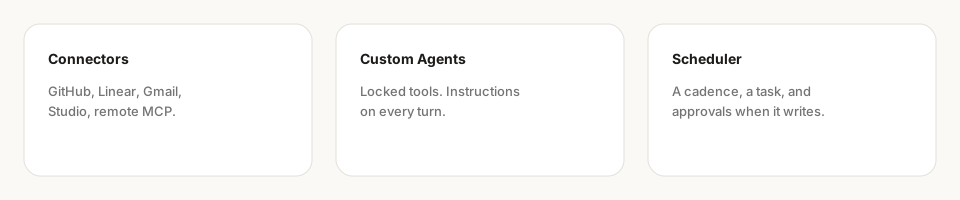
Five pieces
Connected tools. Built-in tools: GitHub, Linear, Gmail, Microsoft Outlook, Microsoft Teams, Slack, Google Calendar, Google Docs, Google Drive, Google Sheets, Google Tasks, OneDrive, Excel, SharePoint, Shopify, Grafana and YouTube. You can add your own from Tool studio and remote MCP servers.
Assistants. Saved helpers for one kind of work, each with its own instructions and a fixed set of tools. A chat you start from an assistant keeps using that assistant.
Schedules. Tasks that run on their own, on a cadence you set. Actions you allowed without asking run while nobody is watching. Everything else waits for your approval.
Apps. Pages Stedia builds in chat that you can use, such as a calculator, a dashboard or a checklist, in your brand. Share them with your workspace. See Apps.
Action presets. Saved defaults for one tool's action: the fields it always fills the same way, plus how Stedia should write. See Action presets.
These work as one product. An assistant can use the same connected tools as chat. A schedule can write into a chat. An action preset shapes the action wherever it runs.
Changes wait for you
Looking things up runs right away. Creating, sending or changing something shows Asks first. Click Approve or Deny on the card. That is how Stedia is meant to work, not a warning on the side.
What you can ask
- "Summarize the customer emails I got since yesterday." See Chat.
- "Every Monday at 8, list last week's Shopify orders." See Schedules.
- "Write an offer for 20 units of the standard package, as a PDF." See Files and Stationery.
- "Create a Linear issue for the checkout bug and assign it to me." Stedia asks before it creates it. See Chat.
Where to start
Get started
Sign in, create or join a workspace, connect a tool, send a first message.
Concepts
Workspace, tool, assistant, schedule, file.
Connected tools
Connect, action presets, Tool studio, and remote MCP.
Admin
Members, SSO, models, BYOK, and usage.
Open the product at app.stedia.ai.