Usage
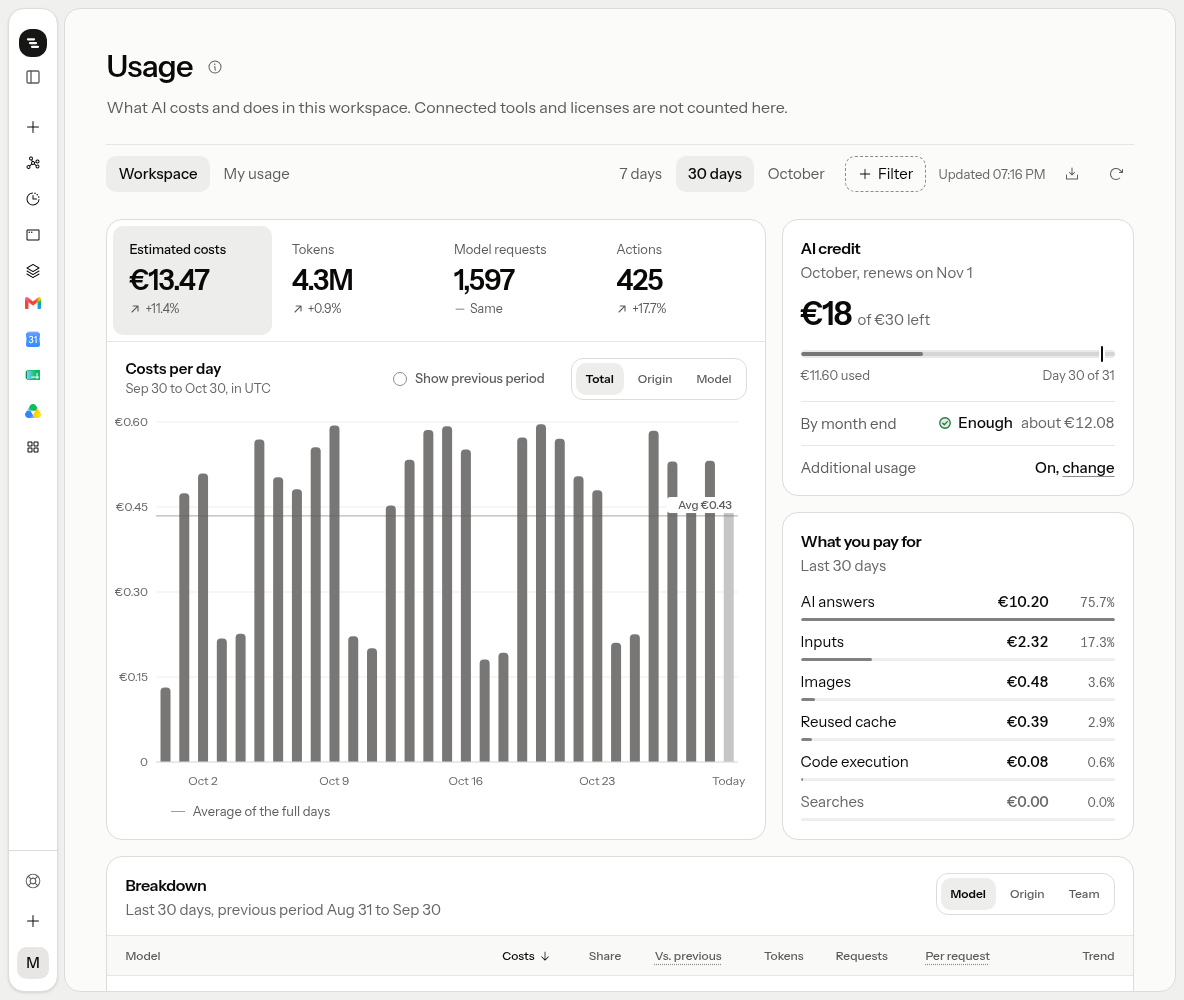
Estimated costs, tokens, model requests and actions by model, origin and team, compared with the period before.
Open Usage from the menu under your name, or type "usage" into the command palette.
Filters
The row at the top sets what the whole page shows. Scope is My usage or Workspace. Owners and admins start on the workspace, members on their own usage. Pick a period: 7 days, 30 days, or the current month. With Filter you leave out origins or models; a chip under the row shows what is left out. On the right you see when the figures were read, and you can export them as CSV or refresh them.
Figures and chart
Four figures sit above the chart: Estimated costs, Tokens, Model requests and Actions. Each shows the change from the period before, of the same length. The one you click is plotted per day. Split the bars by origin or model, or turn on Show previous period to see the period before as a line. The line across the chart is the average of the full days; today is still running, so its bar is lighter.
Costs
Costs are estimated from Stedia's price list, the same one your invoice uses. The invoice remains binding. Tokens on your workspace's own key cost Stedia nothing, so a model on its own key shows Own key instead of a price. Knowledge base storage and licenses are billed apart and not counted here.
What you pay for splits the cost into AI answers, inputs, images, reused cache, code execution and searches.
Owners and admins also see the AI credit: about how much of this month's credit is left, whether it lasts to the end of the month at the current pace, and whether additional usage is on. The credit renews on the first of each month.
Breakdown
The table lists the period by model, by origin, or, for owners and admins in workspace scope, by team. Each row shows costs, share, the change from the period before, tokens, requests, cost per request and a trend line. Open a model to see its origins, or an origin to see its models. Code execution belongs to no model, origin or team and has its own row. Requests count for the team the person is in now.
Origins: Web chat, Discord, Slack, WhatsApp, Teams, Google Chat, Telegram, Schedules.
Work done
Work done counts the actions in connected tools, searches, images, code execution, dictation and read aloud in the period. Most used actions lists your own actions, most often first.